Guide / Translation workflow
Presets
Set every step's options at once
What a preset is
A preset bundles the settings for all four steps — Detection · Recognition · Translation · Typesetting — into one saved configuration. Fonts and glossaries differ per title, so presets are usually made per title. Once you've saved one, starting work is just a matter of selecting it.
Click the preset badge at the top left of the panel and choose Manage presets.
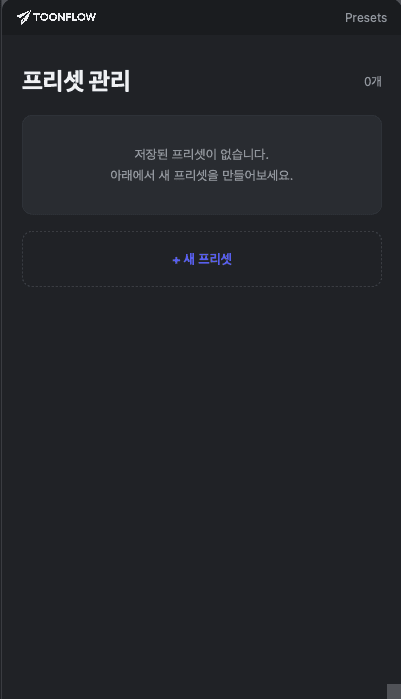
Preset management screen
Apply, edit, or create
Apply or edit an existing preset from the list, or click New preset to configure all four steps at once. For the details of each step, see that step's guide.
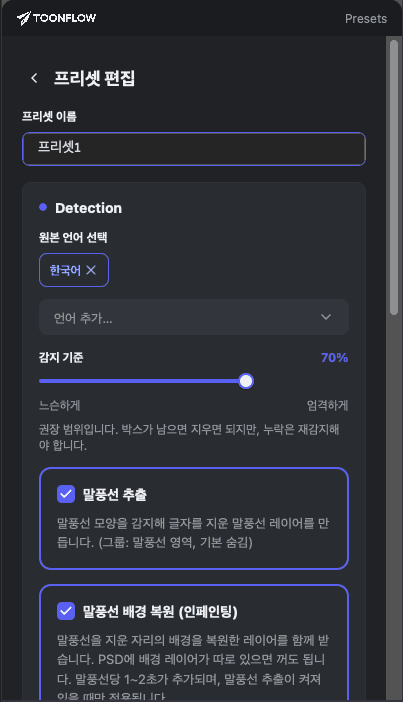
New preset screen
Save
Click Save and the preset is added to the list, ready to apply.
Edit
If you change settings directly in a step tab, “Modified” appears next to the preset name. Click it again to choose between Save, which overwrites the preset with your current settings, and Revert to saved settings. You can also click Edit in the preset list to change it directly.