Guide / Getting started
Your first run
About 5 min
Open the source PSD
Open the episode's PSD in Photoshop and find Toonflow under the top Plugins menu to open the panel. If you leave several PSD tabs open, Automation processes them in order — up to 10 at a time.
Choose a preset
Pick a saved per-title preset or create a new one. See the preset guide for details.
How Process runs
Click Run Automation and the four steps — Detection → Recognition → Translation → Typesetting — run in order in a single pass. You can also run each step on its own; see the per-step pages in the sidebar for detailed settings.
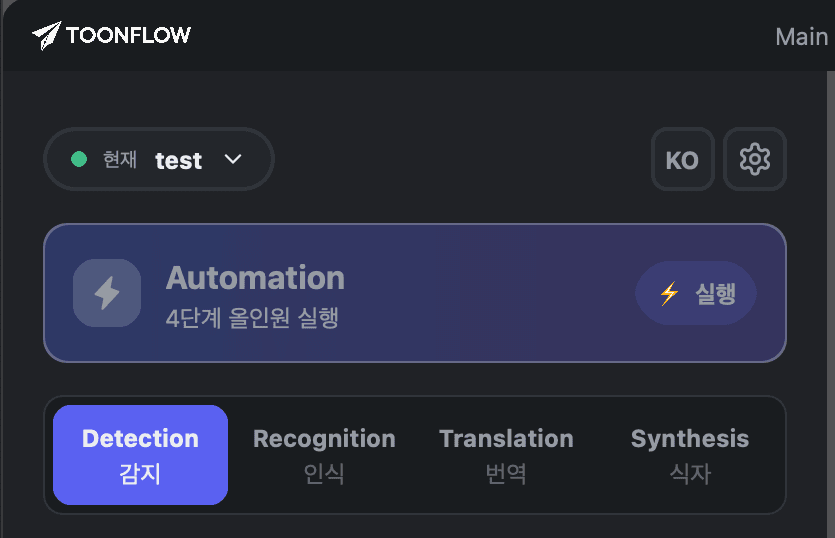
Running a single step
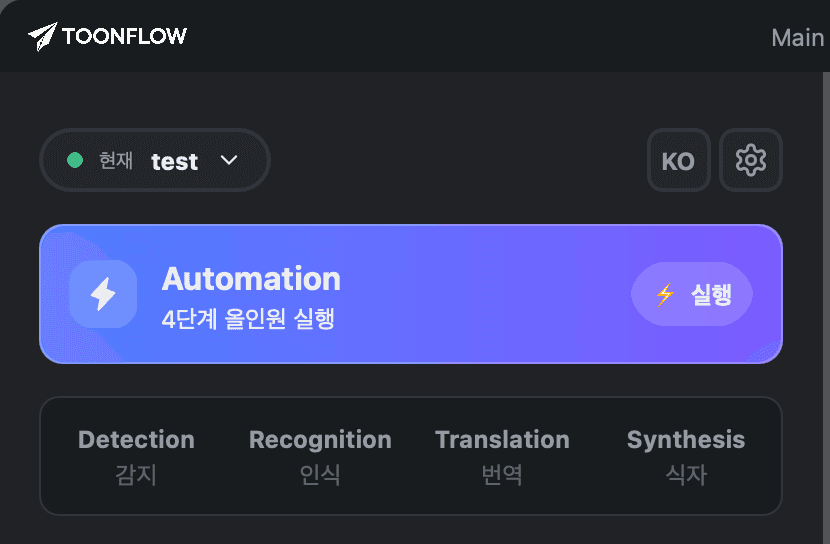
Running Automation (all steps)
Processing time and credits
Processing takes about a minute per episode, longer for titles with heavy dialogue and sound effects. Credits are deducted as each step completes, and the estimated cost is shown before you run. Anything that fails to generate isn't charged.
Review the results
Check the output in the source/translation compare panel. Items with confidence below 0.5 are flagged with ⚠.